

Create Proposal#
Create a proposal within a Child DAO by following the steps:
Prerequisites#
The prerequisites to create a proposal within a Child DAO:
- Connect Wallet.
- Get at least:
- 1 PWR tokens.
- 0.005 WAVES.
Step 1: Go to DAO#
- Go to the DAOs page.
- On the Live tab, click a Child DAO you want to create a proposal for. The page with the Child DAO details will open.
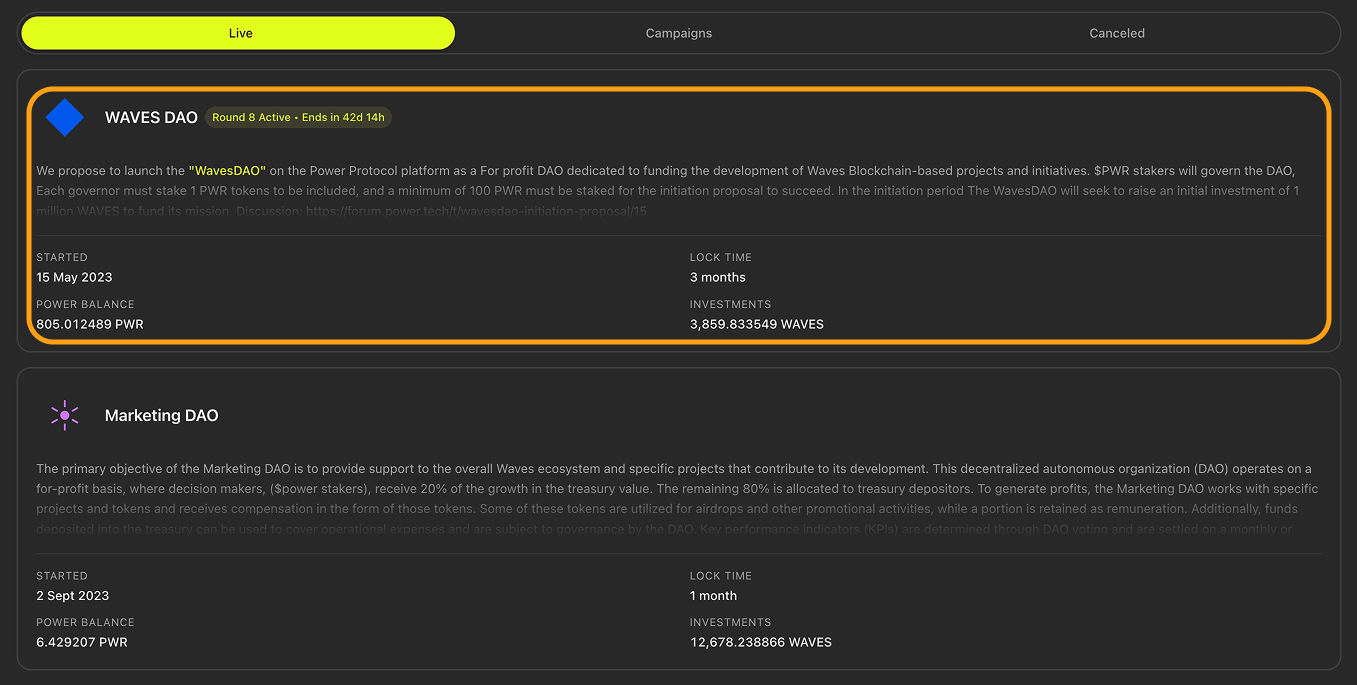
Mouse hovered over an example Child DAO
- On the page with the DAO details, click + New proposal. The DAO proposal page will open.

The “New proposal” button
Step 2: Enter Proposal Data#
On the DAO proposal page:
- In the Title block, enter your proposal's title.
- In the Description block, enter your proposal's description.
- In the Transaction payload (JSON) block, enter your proposal's payload.
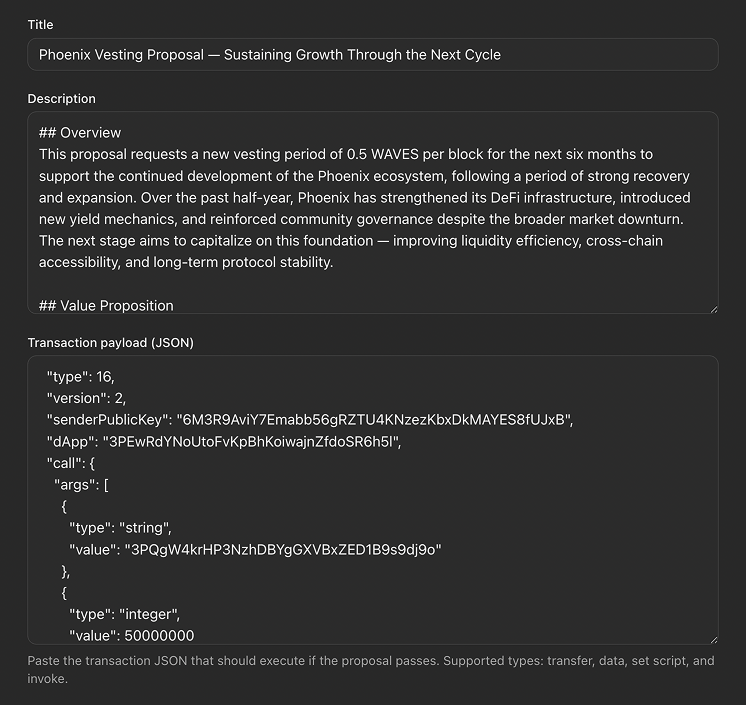
Proposal's title, overview, and transaction payload entered
Step 3: Create Proposal#
- Click Create proposal. Your wallet extension will open.

The “Create proposal” button
- In your wallet extension, confirm the transaction.